Manage distribution groups
For: Administrators with USER_MANAGE. Checked: Vega v1.126.2, 8 October 2026.
Distribution groups let document controllers select an audience by group. Membership can make existing and future documents visible to a user and can create acknowledgement obligations. It does not grant an administrator or editor role.
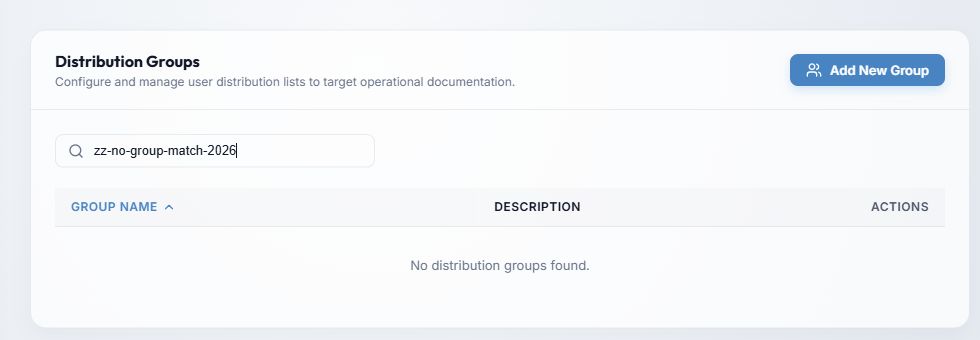
- Add New Group opens the create form.
- Search by group name or description narrows the list. The table can be sorted by Group Name or Description, ascending or descending. Use the page controls for more results.
- Sort by Group Name or Description from the table headings. The example has no matching rows; populated rows also have Edit Group and Delete Group. Review membership before changing a group used for document distribution.
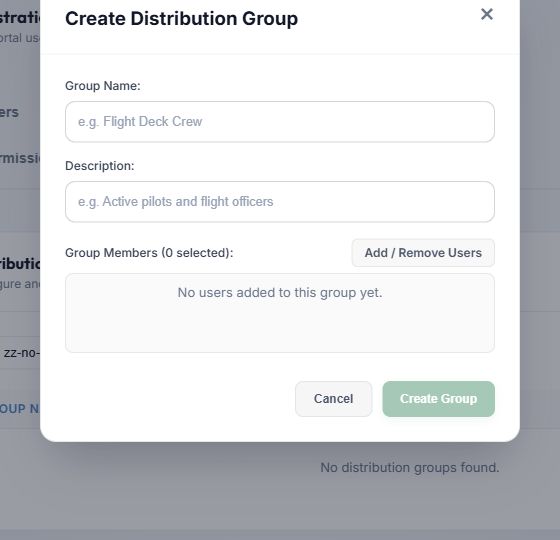
- Enter a unique Group Name; it is required. Description is optional but helps document controllers choose the right audience.
- Add/Remove Users opens the member selector. Search by name or email, sort by name or email, select individual people, or Select All Shown for the currently filtered results. Review the selected users before applying the selection. Selected chips in the group form can also be removed individually.
- Choose Create Group or Save Changes to persist; Cancel closes without saving. The form can warn about a duplicate name; resolve that before continuing.
When a membership edit gives users access to already distributed documents, Notify New Members? previews new obligations. Send a notification with an optional message, or choose Don't Notify and supply a reason. The reason is recorded. Membership and obligations still change when you skip the email.
To remove a group, select Delete Group, read the permanent-deletion warning, type DELETE in the confirmation field, and confirm. Deletion can alter who receives group-distributed documents. If the group changed in another session while you were editing, Vega rejects the stale save; reload the group, review the latest membership, then apply your intended change again.
For document-side audience selection, see upload and distribute and edit distribution.