Find and open reports in the SMS inbox
For: SMS staff with Safety Reports inbox access
Last checked: 7 October 2026, fictional local demo v1.126.2 and current source
Report Inbox is the team's view of submitted, in-progress and closed reports. It is visible only to authorised SAFETY staff. A system owner without that role sees technical counts only; emergency access is separately audited.
Find a report
Select Safety Reports → Report Inbox.
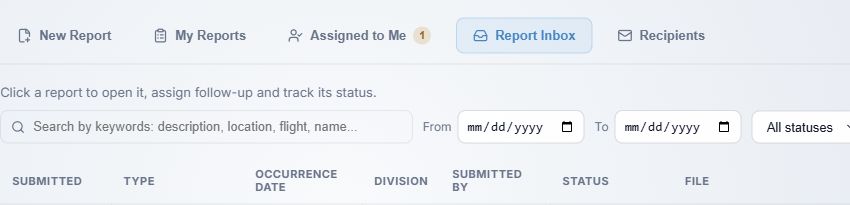
- Search by keywords narrows reports by their recorded details, including description, location, flight and submitter name. Clear the field to remove the search.
- From and To limit the report's submission date range. The occurrence date is a separate column and can differ from the submission date.
- All statuses is the default. Choose Submitted, In Progress or Closed to view one stage.
The table shows submission time, report type, occurrence date, division, submitter, status and PDF filename. An Anonymous report shows no submitter. Select a row to open it; use the download icon in File for the stored PDF without opening the detail. Use Previous page, numbered pages, Next page and Per page to navigate results. Search and filters act on the server's report list.
The inbox may say No safety reports have been stored yet for a genuinely empty list, or No reports match your search or filters when your criteria exclude records. Clear the filters before concluding a report is missing.
Read the report
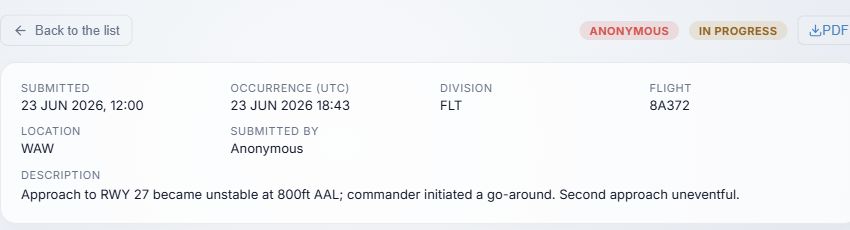
- Back to the list returns to the filtered inbox.
- The type pill and status badge identify the report. PDF downloads the stored report PDF; its content can be updated when SMS closes the case.
- Check Submitted and Occurrence (UTC) separately. The grid also shows division, flight, location and submitted-by identity when applicable.
- Read Description and select any attachment chip to download supporting evidence. Older migrated records may require reading their PDF when description text is unavailable in the detail view.
Below the report, Processing history records assignments, responses, closure and reopening. Processing actions are explained in the next guide.
Treat report content and downloaded files according to your company's SMS confidentiality procedure. Assignment emails are de-identified, but the SMS inbox may include a submitter's identity for Voluntary and still-open Confidential reports.