EFB, Voyage Reports, Manuals, and add-ons
For: Administrators with SETTINGS_MANAGE for settings; add-on actions are shown only to authorized administrators. Checked: Vega v1.126.2, 8 October 2026.
Open the named section in Admin Console → Settings. The Settings guide explains searching, unsaved changes, reset, and saving. These sections appear only for licensed modules and can show company-specific values.
EFB / e-OFP
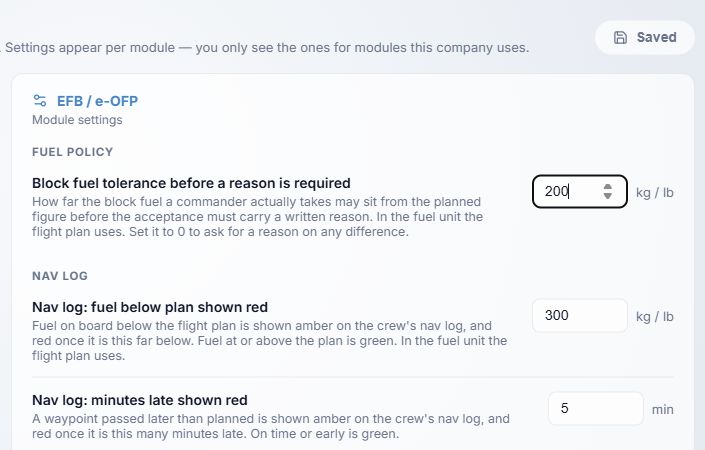
- Block fuel tolerance sets how far the recorded block fuel may differ from the OFP plan without an explanation, in the OFP fuel unit (kg or lb). The shipped fallback is 200; allowed 0–100,000. At 0, any difference needs a reason.
- Nav log fuel below plan sets the red warning threshold. The demo shows 300 in the plan's fuel unit; allowed 1–100,000.
- Nav log time late sets the red late-time threshold; the demo shows 5 minutes, allowed 1–180.
Further down this section, MORA mark controls the altitude threshold for a MORA cue; the demo shows 10,000 ft, allowed 0–30,000. Flight closure correction window controls how long a closed flight can be corrected; the demo shows 24 hours, allowed 0–720. Confirm operational policy before shortening the window.
Voyage Reports
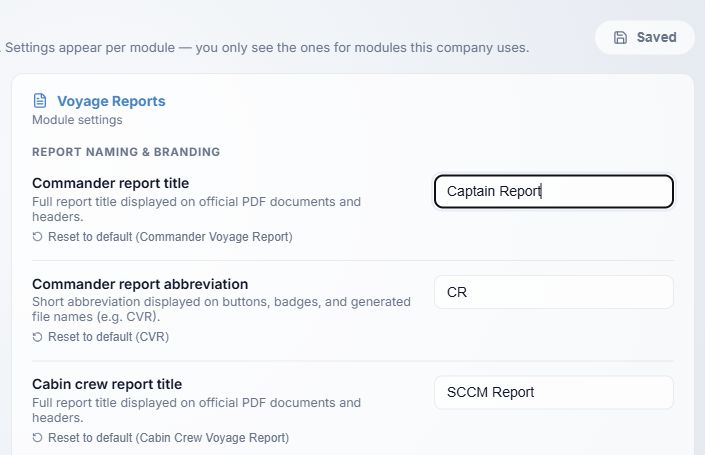
- Commander report title and abbreviation and Cabin report title and abbreviation set the labels shown to users and in output. The shipped labels are Commander Voyage Report / CVR and Cabin Crew Voyage Report / CCVR. The demo's Captain/CR and SCCM/SCCM labels are custom examples.
- Commander report abbreviation appears on buttons, badges and filenames. The demo's CR is customized from CVR.
- Cabin crew report title is customized to SCCM Report in the demo; the shipped label is Cabin Crew Voyage Report and abbreviation CCVR.
Further down, Airport code format starts at Both; choose ICAO, IATA, or Both. Retention starts at 3 years, range 1–25, and governs archive timing rather than immediate deletion. Cabin email dispatch starts at Department sections; alternatives are Full report only and Both. Set Full report distribution emails as comma- or semicolon-separated addresses when the mode sends a full report. Include attachments in section emails starts on. Cabin positions determines position choices. Single-file, report-total, and email-total limits constrain attachments; check the units in your portal. When Leon is connected, flight autofill (on by default) and a senior cabin position code can be configured.
Manuals
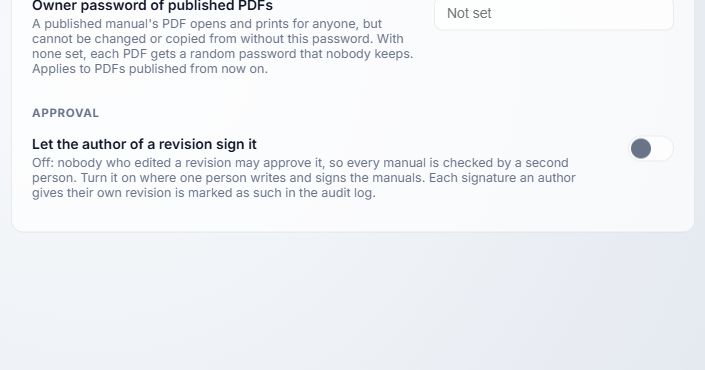
- Published PDF owner password is an optional secret. It restricts modification and copying in generated PDFs while still allowing opening and printing. The demo says Not set. An unset value results in a generated random owner password that is not retained; this option applies to future PDFs, not already published files.
- Let an author sign their own revision is off by default. If enabled, an author can sign an approval step on their own revision; the action is audited. Decide this against your approval policy before saving.
Add-ons
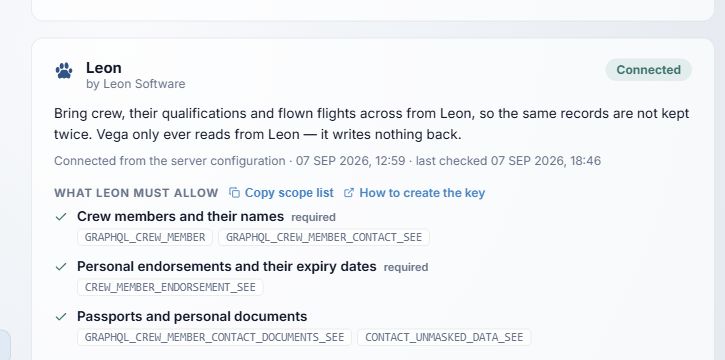
- The card shows whether Leon is connected and explains that Vega reads data from it.
- Copy scope list copies the displayed scope names; How to create key opens setup guidance. The required scopes are listed below those links.
Below the pictured scope list, Check connection rechecks the configured integration without saving a new key. Change credentials opens masked fields; leave an already configured secret blank to retain it, then use Save and re-check. Cancel closes without saving. Disconnect opens a confirmation. Confirming deletes the stored key and removes integration-fed information from the interface. Previously imported records remain. Review the effects on Crew Records, Planning, and Voyage before disconnecting.
The help images never show integration keys. Do not paste a key into a support message or screenshot.