Review one person's document obligations
Who can use this: Users with Company Compliance view permission. Sending a reminder also requires Send compliance reminders and digests permission. Last verified: Vega local demo v1.126.2, 8 October 2026.
- In Internal or External Organizations, select a member row. The detail page opens with their active/inactive status, roles, membership date, percentage, and acknowledgement totals.
- Read the Acknowledged, Pending, Required Documents, and Groups tiles. The detail page combines all document versions that person must acknowledge across their internal groups and any document addressed to them individually. Each version appears once even if several groups distribute it. An external member's obligations come from their organization's granted library sections.
- The group chips show where the person receives documents. An individually addressed document can be labelled Individually addressed in the document table.
- Under Document Acknowledgements, choose All, Pending, or Acknowledged. The counts on these buttons refer to the person's full obligation list. Search documents matches document title and group labels. Changing the filter or search returns to page 1.
- Check each row's Document, Groups, Status, Deadline, and Acknowledged At. No deadline means no due date was set. A pending item with a passed deadline is marked Overdue; an acknowledged item shows its signature time.
- For a pending row, the envelope button Send email reminder sends one manual reminder for that document version. It is shown only for active accounts. Wait for the success message; an SMTP failure or a version already acknowledged produces an error. A viewer without reminder permission may still see the button but the server will reject the action.
- Use Back to [group/organization] to return to the list. Browser Back also returns through the Compliance pages.
When the document list is long, use its page numbers and Previous/Next controls. Per page offers 10, 20, 50, and 100, starting at 20 unless you previously changed it for this list in this browser. The chosen size is remembered for your account on this device. If the list is short, the pagination bar is hidden.
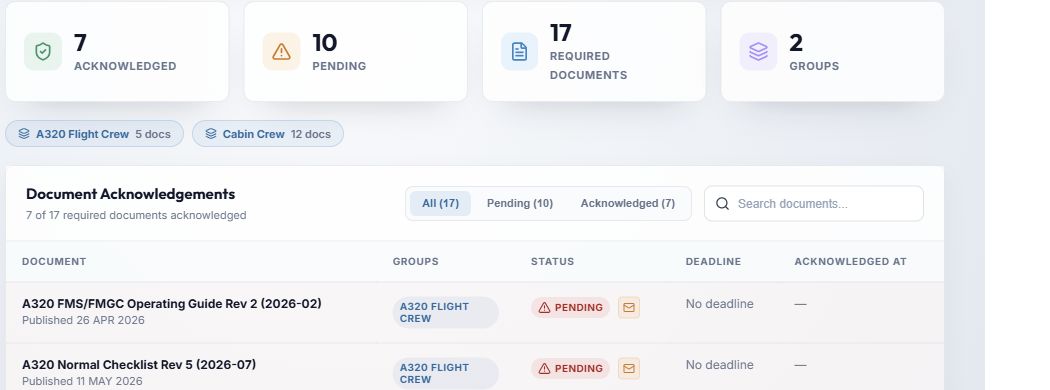
- The four tiles summarise the person's full list, so they may differ from a single group row.
- Group chips indicate the source groups and their required document counts.
- All / Pending / Acknowledged and Search documents filter the table locally.
- The document rows show publication date, source group, status, due date and signature time.
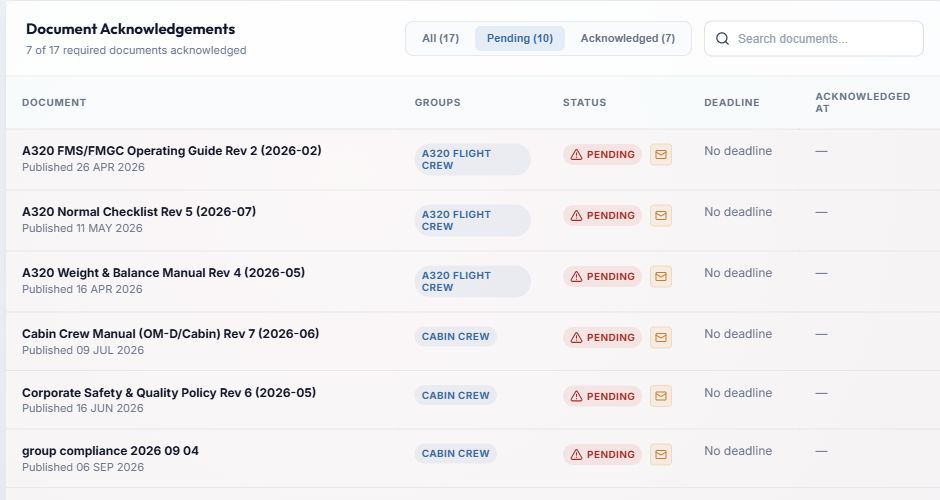
- Pending isolates items still awaiting this person's acknowledgement.
- The envelope requests a manual email for that row's version. It does not acknowledge the document for the person.
- No deadline and a blank acknowledgement time are expected until a due date or signature exists.
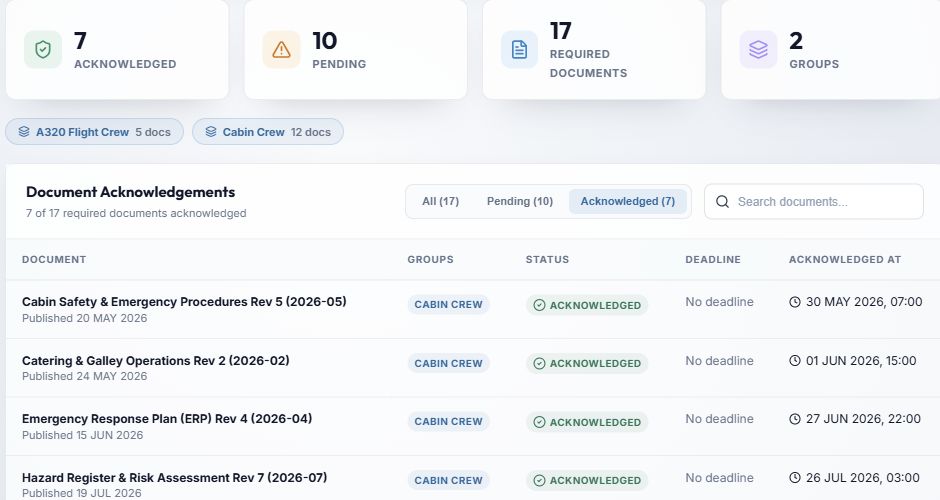
- Acknowledged isolates completed items.
- Acknowledged At records when the version was signed off. The reminder button is absent on these rows.
Note: This page does not open the document or change its distribution. To read and sign an assigned version, follow Find and acknowledge a document. For a document-centred recipient list, use Document read tracking.